> ## Documentation Index
> Fetch the complete documentation index at: https://mcpjam-mintlify-docs-update-pr-4867-1789023630416.mintlify.site/llms.txt
> Use this file to discover all available pages before exploring further.
# MCPJam Docs
> Test, debug, and evaluate MCP servers, MCP apps, and ChatGPT apps across every major AI client.
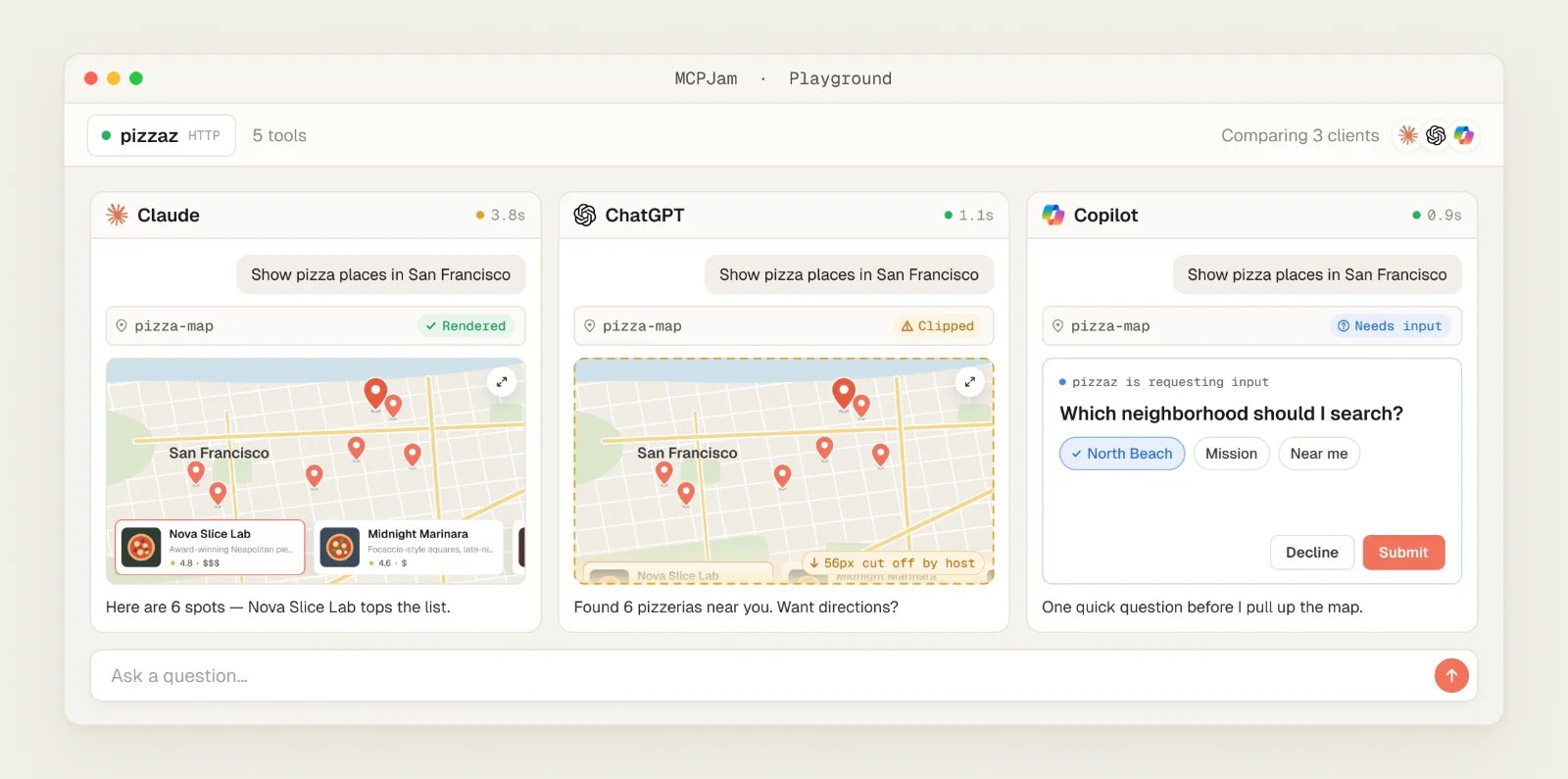
MCPJam is the open-source testing and evaluations platform for developers shipping **MCP servers, MCP apps, and ChatGPT apps**. Interactively test and debug tools, prompts, resources, and OAuth across 16 client configurations and 170+ LLMs, with every JSON-RPC message visible. Run evals on test cases, track accuracy over time, and gate regressions before they reach production.
 ## Four ways to get started
Get started by testing with our hosted app, or test locally on your machine.
**On your machine.** An IDE-style workspace for MCP development, with STDIO servers, tunneling, skills, and tasks. Tests local servers over STDIO and HTTP.
```bash theme={"theme":"css-variables"}
npx @mcpjam/inspector@latest
```
or [install the desktop app](/installation)
**In your shell or CI.** Connectivity, OAuth, conformance, and tool runs with JUnit/JSON output. Tests local servers over STDIO (`--command`) and HTTP (`--url`).
```bash theme={"theme":"css-variables"}
npm i -g @mcpjam/cli
```
**In your test suite.** Unit tests, e2e tests, and evals in TypeScript with Jest or Vitest. Spawns local STDIO servers or connects over HTTP.
```bash theme={"theme":"css-variables"}
npm install @mcpjam/sdk
```
**In your browser.** Open [app.mcpjam.com](https://app.mcpjam.com), click **Add server**, and enter your server's URL. HTTPS only — STDIO and localhost servers need the Inspector.
## What you can build
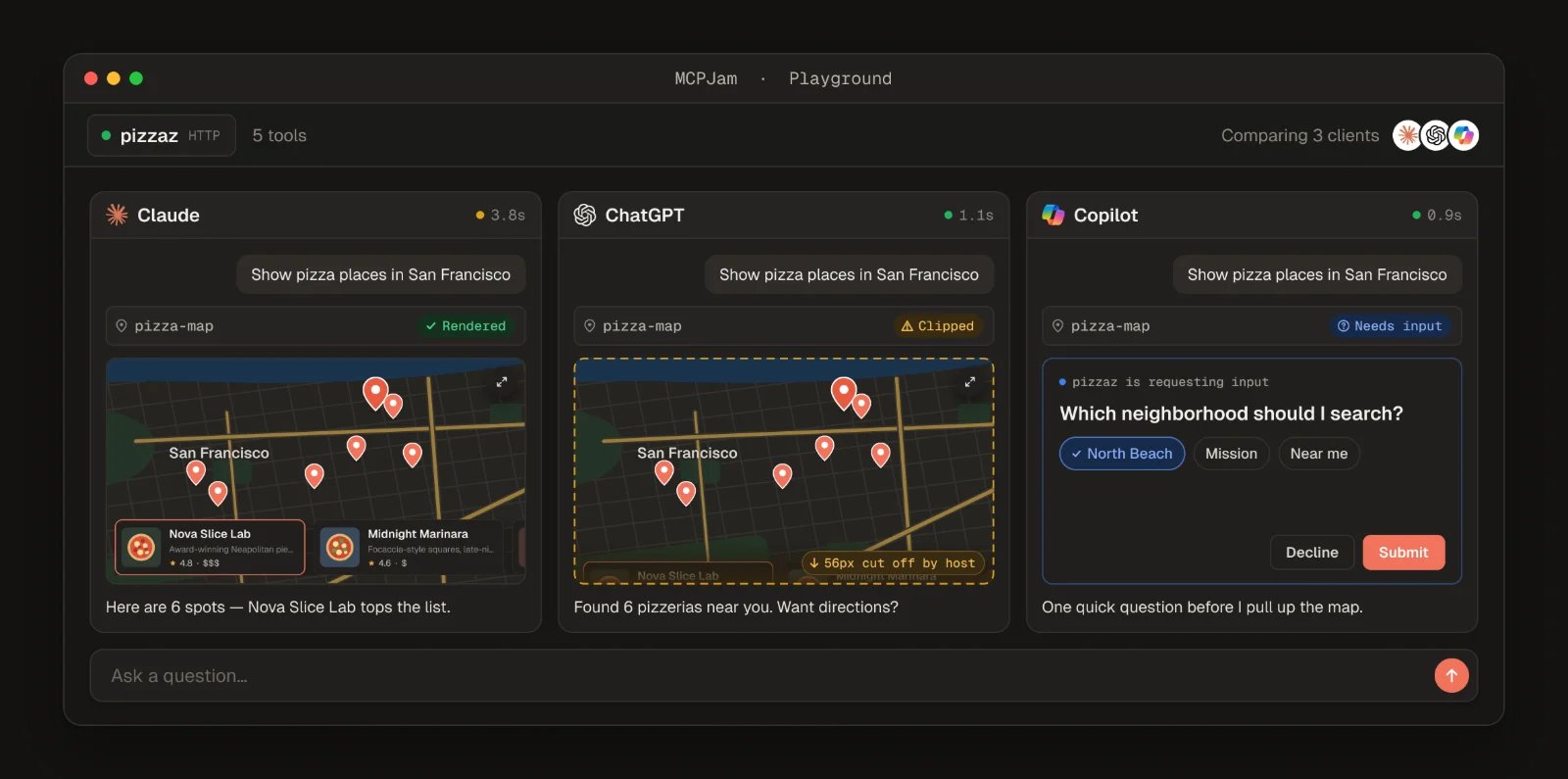
Connect any HTTP, HTTPS, or STDIO server, watch every JSON-RPC message live in the Playground, and inspect tool input/output, widget state, and CSP activity per call.
[Open the Playground →](/inspector/playground) · [JSON-RPC logger →](/inspector/playground#json-rpc-logger)
The unified widget renderer handles both `_meta.ui.resourceUri` (MCP Apps) and `openai/outputTemplate` (ChatGPT Apps). The `window.openai` shim is always injected, so you can iterate without a real host.
[First MCP App →](/guides/first-mcp-app) · [First ChatGPT App in React →](/guides/first-chatgpt-app-react)
Step through every stage of the MCP authorization flow against protocol versions 03-26, 06-18, 11-25, and 2026-07-28 (Latest), with DCR, pre-registration, and CIMD coverage.
[Guided OAuth →](/inspector/guided-oauth) · [CLI OAuth conformance →](/cli/oauth-conformance)
Author cases with expected tool calls, optional expected outputs, and deterministic checks. Run across Claude, GPT, Gemini, and your own providers — or move the same suite into Jest/Vitest with `@mcpjam/sdk`.
[Evaluate in Inspector →](/inspector/evals) · [Run evals from the SDK →](/sdk/concepts/running-evals) · [CI integration →](/cli/ci)
Launch the Inspector with a prefilled server URL, bearer token, and starting tab via CLI flags — wire it into your dev script or a framework integration.
[Launch from code →](/inspector/launch-from-code)
In the hosted app, share a server URL the same way you'd share a Google Doc. Teammates connect with one click and pick up where you left off.
[Hosted overview →](/hosted/overview)
## Capabilities at a glance
| Capability | Description |
| -------------------- | ------------------------------------------------------------------------------------------------------------------------------------------------------------------------------------------------------------------------------------------------------------- |
| Playground | IDE-style workspace combining chat, manual tool calls, widget rendering, Chat/Trace/Raw views, and multi-model and multi-host compare. OpenAI Apps SDK and MCP App UIs, text tools, Chrome DevTools-style widget emulator. [Read more](/inspector/playground) |
| OAuth Debugger | Guided MCP OAuth conformance checks: protocol versions 03-26, 06-18, 11-25, 2026-07-28 (Latest); DCR, client pre-registration, CIMD. [Read more](/inspector/guided-oauth) |
| MCP Server Debugging | Manually run tools, resources, templates, and elicitation; full JSON-RPC logs. |
| Skills | Skills in the Playground, read from your local filesystem or from a project. [Read more](/inspector/skills) |
| Projects | Shared server groups with real-time team sync. [Read more](/inspector/projects) |
| Evals | Test cases with expected tool calls, run across LLMs, metrics. [Read more](/inspector/evals) |
| CLI | Run MCPJam checks, probes, and evals from the terminal. Perfect for local dev loops and CI. [Read more](/cli/overview) |
| SDK | Programmatic access to MCPJam for custom tooling, scripting, and integrations. [Read more](/sdk) |
| CI/CD | Run MCPJam checks and evals in GitHub Actions and other CI systems to gate PRs on regressions. [Read more](/cli/ci) |
## Get help
Ask the team and the community.
File an issue or open a PR.
What shipped, and when.
## Four ways to get started
Get started by testing with our hosted app, or test locally on your machine.
**On your machine.** An IDE-style workspace for MCP development, with STDIO servers, tunneling, skills, and tasks. Tests local servers over STDIO and HTTP.
```bash theme={"theme":"css-variables"}
npx @mcpjam/inspector@latest
```
or [install the desktop app](/installation)
**In your shell or CI.** Connectivity, OAuth, conformance, and tool runs with JUnit/JSON output. Tests local servers over STDIO (`--command`) and HTTP (`--url`).
```bash theme={"theme":"css-variables"}
npm i -g @mcpjam/cli
```
**In your test suite.** Unit tests, e2e tests, and evals in TypeScript with Jest or Vitest. Spawns local STDIO servers or connects over HTTP.
```bash theme={"theme":"css-variables"}
npm install @mcpjam/sdk
```
**In your browser.** Open [app.mcpjam.com](https://app.mcpjam.com), click **Add server**, and enter your server's URL. HTTPS only — STDIO and localhost servers need the Inspector.
## What you can build
Connect any HTTP, HTTPS, or STDIO server, watch every JSON-RPC message live in the Playground, and inspect tool input/output, widget state, and CSP activity per call.
[Open the Playground →](/inspector/playground) · [JSON-RPC logger →](/inspector/playground#json-rpc-logger)
The unified widget renderer handles both `_meta.ui.resourceUri` (MCP Apps) and `openai/outputTemplate` (ChatGPT Apps). The `window.openai` shim is always injected, so you can iterate without a real host.
[First MCP App →](/guides/first-mcp-app) · [First ChatGPT App in React →](/guides/first-chatgpt-app-react)
Step through every stage of the MCP authorization flow against protocol versions 03-26, 06-18, 11-25, and 2026-07-28 (Latest), with DCR, pre-registration, and CIMD coverage.
[Guided OAuth →](/inspector/guided-oauth) · [CLI OAuth conformance →](/cli/oauth-conformance)
Author cases with expected tool calls, optional expected outputs, and deterministic checks. Run across Claude, GPT, Gemini, and your own providers — or move the same suite into Jest/Vitest with `@mcpjam/sdk`.
[Evaluate in Inspector →](/inspector/evals) · [Run evals from the SDK →](/sdk/concepts/running-evals) · [CI integration →](/cli/ci)
Launch the Inspector with a prefilled server URL, bearer token, and starting tab via CLI flags — wire it into your dev script or a framework integration.
[Launch from code →](/inspector/launch-from-code)
In the hosted app, share a server URL the same way you'd share a Google Doc. Teammates connect with one click and pick up where you left off.
[Hosted overview →](/hosted/overview)
## Capabilities at a glance
| Capability | Description |
| -------------------- | ------------------------------------------------------------------------------------------------------------------------------------------------------------------------------------------------------------------------------------------------------------- |
| Playground | IDE-style workspace combining chat, manual tool calls, widget rendering, Chat/Trace/Raw views, and multi-model and multi-host compare. OpenAI Apps SDK and MCP App UIs, text tools, Chrome DevTools-style widget emulator. [Read more](/inspector/playground) |
| OAuth Debugger | Guided MCP OAuth conformance checks: protocol versions 03-26, 06-18, 11-25, 2026-07-28 (Latest); DCR, client pre-registration, CIMD. [Read more](/inspector/guided-oauth) |
| MCP Server Debugging | Manually run tools, resources, templates, and elicitation; full JSON-RPC logs. |
| Skills | Skills in the Playground, read from your local filesystem or from a project. [Read more](/inspector/skills) |
| Projects | Shared server groups with real-time team sync. [Read more](/inspector/projects) |
| Evals | Test cases with expected tool calls, run across LLMs, metrics. [Read more](/inspector/evals) |
| CLI | Run MCPJam checks, probes, and evals from the terminal. Perfect for local dev loops and CI. [Read more](/cli/overview) |
| SDK | Programmatic access to MCPJam for custom tooling, scripting, and integrations. [Read more](/sdk) |
| CI/CD | Run MCPJam checks and evals in GitHub Actions and other CI systems to gate PRs on regressions. [Read more](/cli/ci) |
## Get help
Ask the team and the community.
File an issue or open a PR.
What shipped, and when.